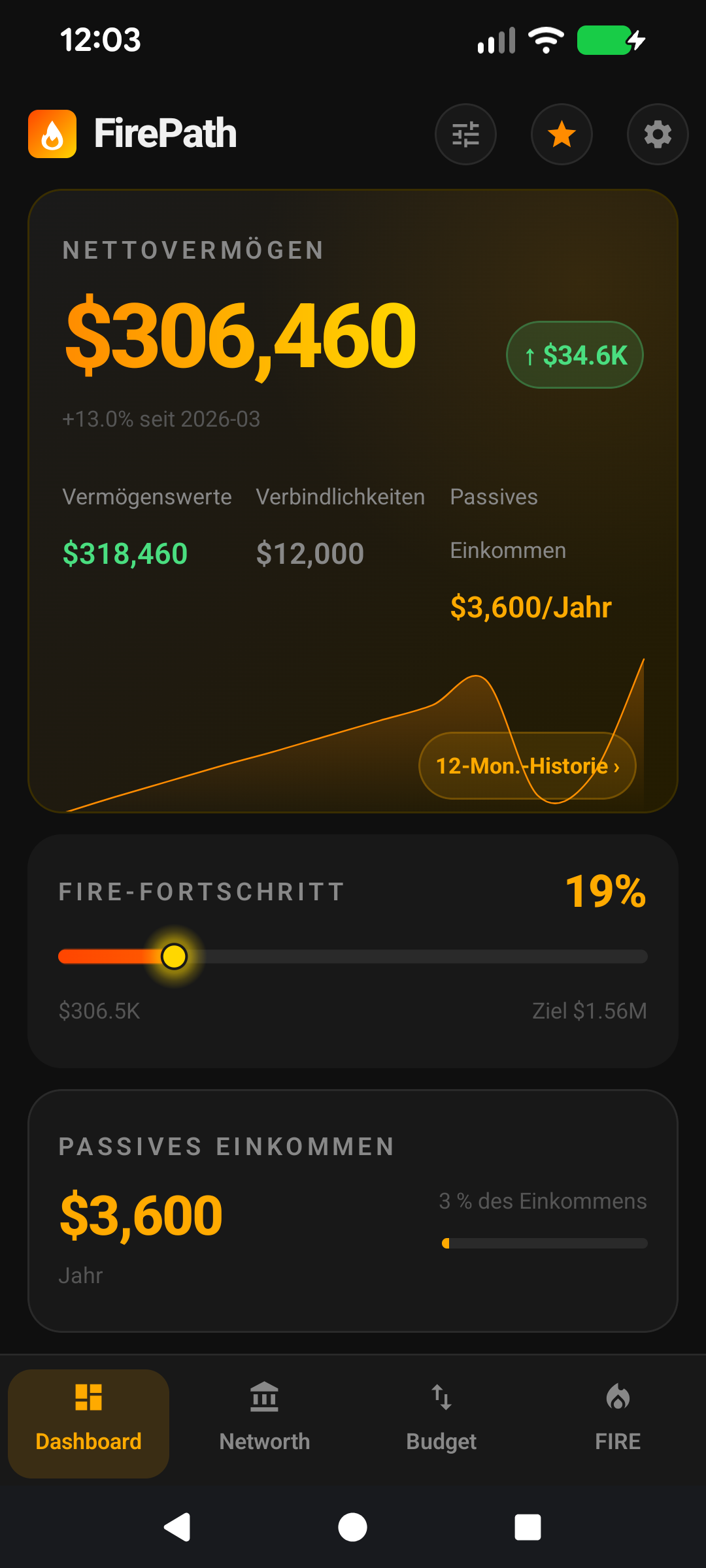
Lean, Regular, Fat, Coast — pick your FIRELean, Regular, Fat, Coast – wählen Sie Ihr FIRE
Lean, Regular, Fat, Coast — the four FIRE variants, what each one means, the maths behind them, how to set up Lean FIRE step by step, and how to pick the right target for your life stage.Lean, Regular, Fat, Coast – die vier FIRE-Varianten, was jede bedeutet, die Mathematik dahinter, wie Sie Lean FIRE Schritt für Schritt einrichten und wie Sie das richtige Ziel für Ihre Lebensphase wählen.
Quick start
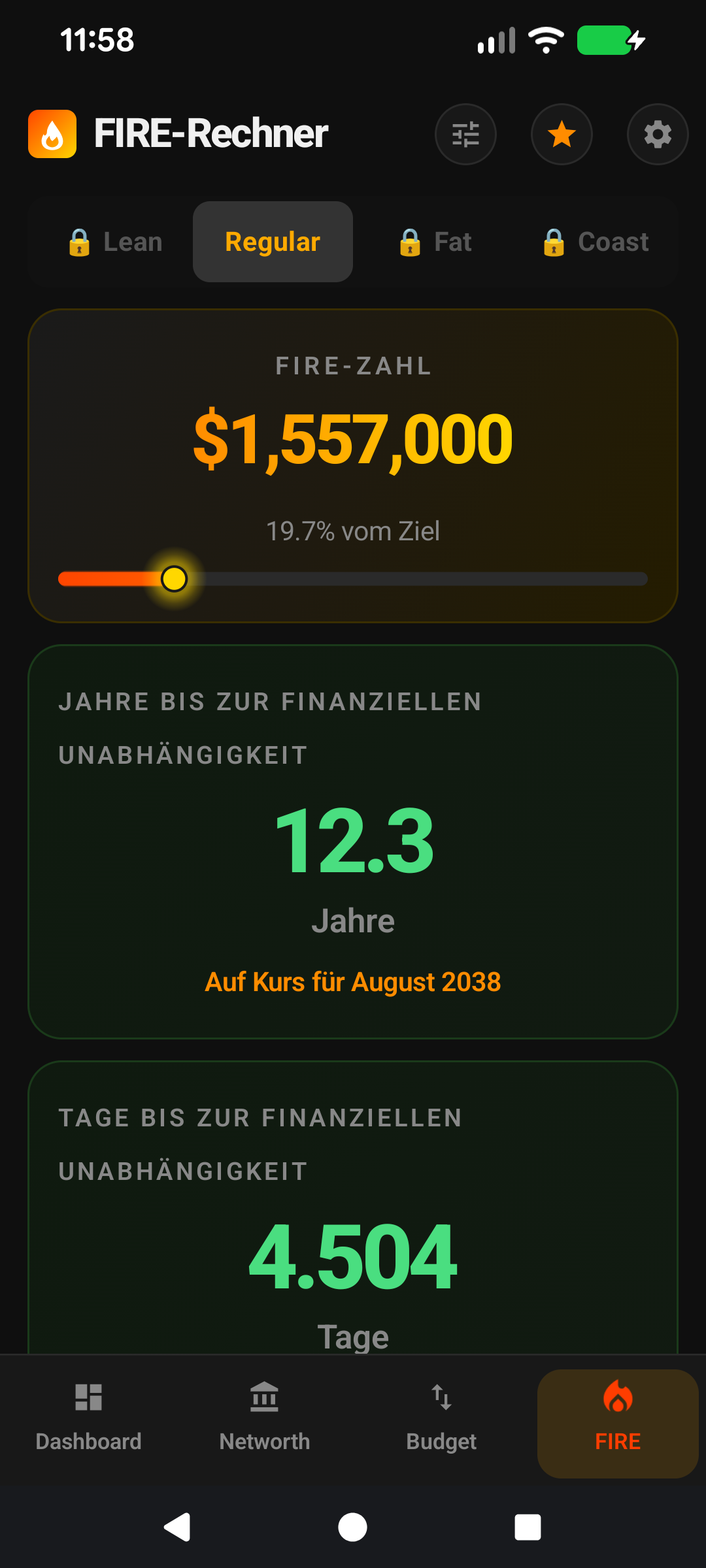
FIRE isn't one thing. There are four flavours and FirePath tracks all of them simultaneously. Pick the one that matches your goal, or track all four as reference points along the same journey.
Lean FIRE — retire on the essentials only. Cheapest version of free.
Regular FIRE — retire at your current spending level. The default target for most people.
Fat FIRE — retire with headroom. Your current spending × 1.5 or 2.
Coast FIRE — save enough that you can stop saving and still land at a full FIRE target by retirement age. The most-useful psychological milestone.
Each variant gets its own tab on the FIRE screen. Pick one as your primary target in Settings → Display → Default FIRE Type.
The rest of this guide is for users who want to tune the screen. If you're happy with the defaults, you can stop here — everything below is optional customisation.
Going deeper
The 25× rule
Every FIRE variant derives from the same mathematical anchor: the 4% safe-withdrawal rate from the Trinity Study. Invert 4% and you get 25×: you need a portfolio roughly 25 times your annual expenses to retire on withdrawals alone, with a very high probability of the money outlasting you across most historical 30-year periods.
FirePath uses 4% as the default withdrawal rate (so 25× is the default multiplier). You can adjust to 3.5% or 3% in Settings if you want a more conservative target — each adjustment increases the multiplier (3.5% = ~28×, 3% = ~33×).
Lean FIRE in detail
① Toggle defaults to on for every expense. ② Turn off discretionary categories to shape Lean.
Lean FIRE is the version where you cut spending to the bone and retire on essentials only: rent or mortgage, food, utilities, basic transport, insurance. The idea is that if you needed to retire tomorrow — due to health, caring for family, burnout — you could, at a reduced but sustainable lifestyle.
FirePath computes Lean FIRE by summing only the expenses you've flagged Include in Lean FIRE. Every expense has that toggle, defaulting to on. Turn off the ones you'd cut: dining out, travel, hobby subscriptions, the Spotify family plan, the gym membership you could replace with running. What's left is your Lean spending. Times 25 = your Lean FIRE number.
For most users Lean FIRE lands at 40-60% of Regular FIRE. Reaching Lean FIRE first is a huge de-risker — even if markets tank and you can't hit Regular, you have a floor.
How to set up Lean FIRE, step by step
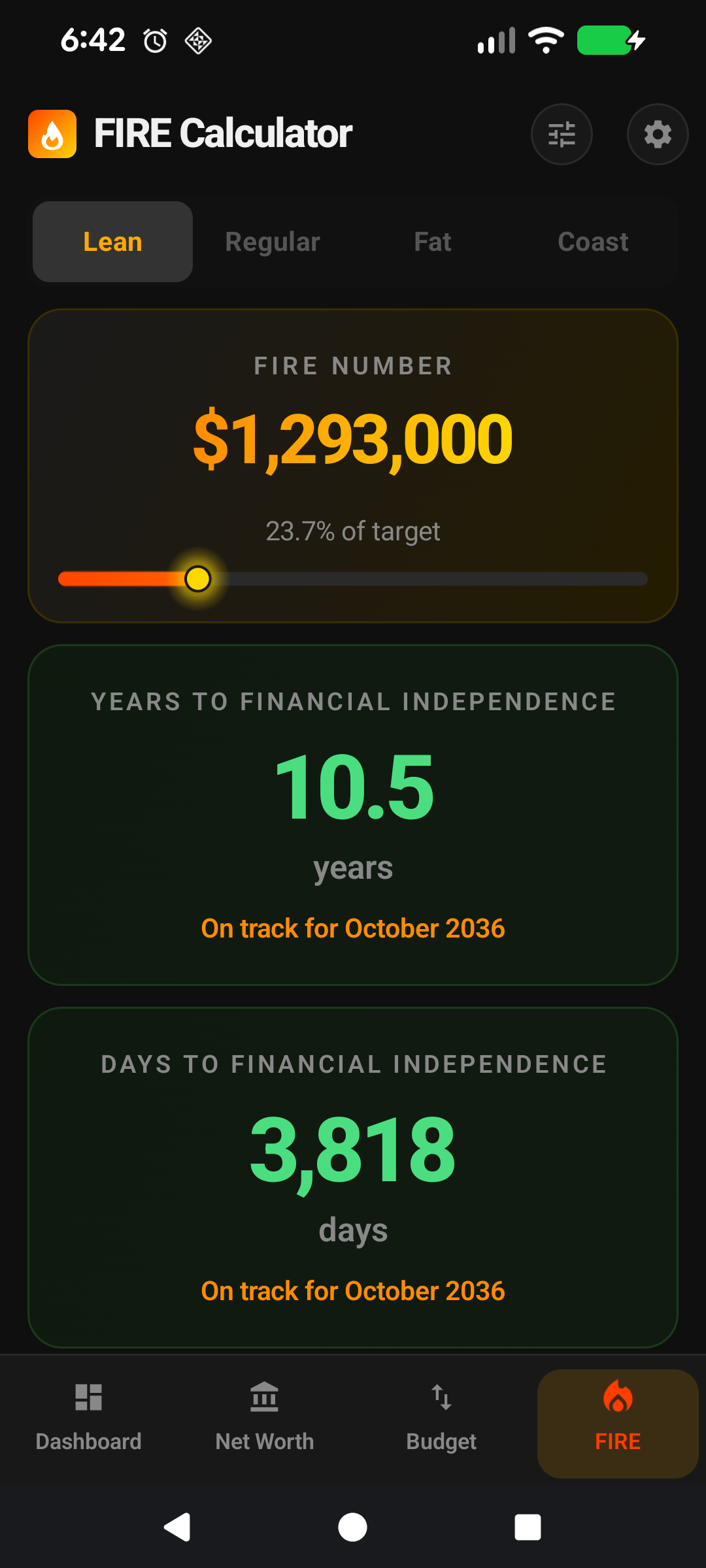
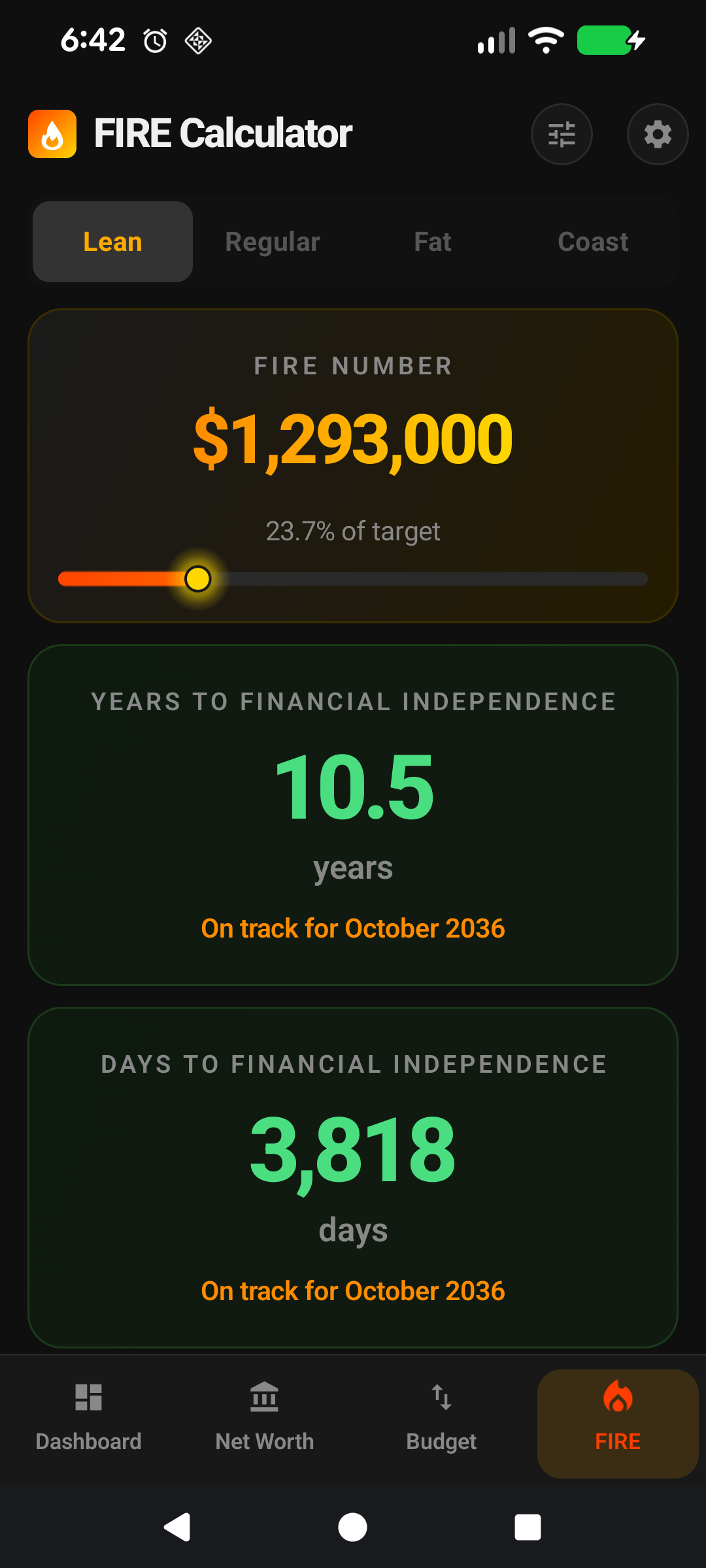
① Lean number = included expenses × 25. ② Progress bar against current portfolio.
Lean FIRE is a premium feature, so the first step is being on Premium. After that, it's a five-minute setup — the hard work is thinking honestly about which expenses you'd actually cut.
Make sure every expense is logged. Go to the Income & Expenses screen and review the Expenses tab. Lean FIRE is only as accurate as the expense list it reads from, so missing categories produce a misleadingly low target. Add any recurring spend you've missed (a forgotten streaming service, quarterly insurance, annual rego).
Set each expense's period correctly. Rent is usually monthly, insurance often yearly, groceries weekly. FirePath normalises periods under the hood — weekly × 52, fortnightly × 26, monthly × 12, yearly × 1 — so the annual Lean total comes out right only if the periods are right.
Walk the expense list and flip the Include in Lean FIRE toggle. Open each expense (tap the row on the Expenses tab), look at the toggle near the bottom of the edit form. On = counts toward Lean; Off = excluded. The mental model: "If I had to retire tomorrow on a tight budget, would I still pay for this?"
Keep on: rent / mortgage principal and interest, groceries, utilities, basic transport, health insurance, essential medical.
Judgement calls: car costs if public transport is an option; the higher end of a variable food budget; premium insurance when a basic policy would do. There's no wrong answer — pick the Lean version of you.
Open the FIRE screen and check the Lean tab. The Lean FIRE number now reflects the expenses you kept on, × 25 (or whatever multiplier your safe-withdrawal-rate setting implies). Compare to Regular FIRE on the next tab — Lean should be noticeably smaller, typically 40-60% of Regular.
Sanity-check the number. Does it feel right? Too low probably means you were over-zealous turning things off (you'd actually still pay for a few of them). Too close to Regular means you left too many discretionary items on. Revisit step 3 and adjust — this is iterative.
(Optional) Make Lean your default view. Settings → Display → Default FIRE Type → Lean. The FIRE screen now opens on the Lean tab every time. Useful if Lean is your near-term floor and Regular is the longer-term goal you'll switch focus to later.
Refining over time. Your Lean setup isn't set-and-forget. Every few months — when you add a new recurring expense, or your life circumstances change — revisit the include/exclude toggles. A new baby might push childcare from excluded to included; a paid-off mortgage drops a big item out entirely.
Couple / household tip. If you share finances, walk this list together. The conversation is more valuable than the number — "would we still do Netflix if we were both retired?" surfaces real priorities. FirePath doesn't care who ticked which box; it just sums what's left.
Regular FIRE in detail
Your total annual expenses × 25. Not your salary, not your savings rate — just your actual spending. This is the "retire at my current lifestyle" target and it's what most FIRE-chasers have in mind by default.
Two subtleties. First: expenses fluctuate. FirePath uses what you've currently got entered on the Income & Expenses screen. Keep those figures updated and your Regular FIRE number tracks reality. Second: post-retirement spending is usually lower than pre-retirement — no commute, no work clothes, often lower tax bracket — so 25× current expenses is a slightly conservative target.
Fat FIRE in detail
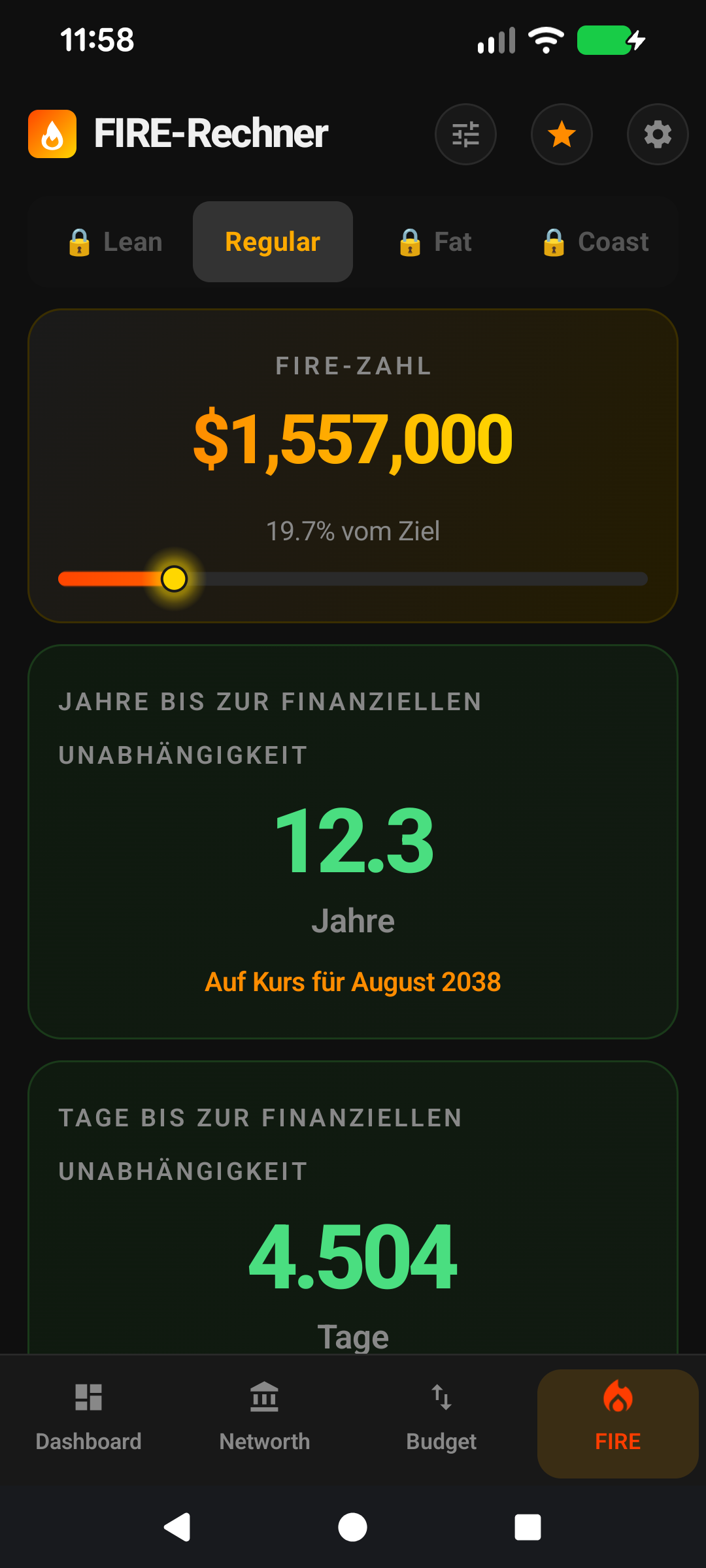
Your Regular FIRE number times a multiplier — 1.5× by default, configurable in Settings. The idea is a deliberate safety margin: retire not just on current spending but with room to travel more, upgrade, be generous, weather a market downturn without tightening the belt.
Fat is for people who don't want to cut it fine. If reaching Regular FIRE means you'd stop working the same day, Fat gives you 18+ months of buffer years baked into the number. Use 1.5× if you want moderate safety; 2× if you want to truly luxuriate.
Coast FIRE — the underrated one
Coast FIRE is the point where your existing invested portfolio, left alone (no new contributions), will compound up to a full FIRE target by your chosen retirement age. Also known as the "you can stop saving" milestone.
The maths: Coast = Regular FIRE / (1 + r)^n, where r is your real return and n is years until your retirement age. Example: $1.5M Regular FIRE, 25 years to age 60, 5% real return → Coast = $1.5M / (1.05^25) ≈ $443k.
Why it matters: most people who discover FIRE in their 30s hit Coast FIRE well before traditional retirement, often by 35-45. Once you hit Coast, you have options: downshift to part-time, change careers to something meaningful but lower-paying, take a sabbatical, or keep pushing to reach Regular FIRE earlier. The portfolio will get you to full FIRE at 60 either way.
Settings → FIRE lets you set the Coast retirement age (default 60). Setting it higher (65-67) produces a lower Coast number (more time to compound); setting it lower (55) produces a higher one.
Why the numbers are in today's dollars
FirePath's projections use real returns — expected return minus inflation — so every number on the FIRE screen is in today's dollars. A FIRE target of $1.5M means you need enough to fund a lifestyle that costs the same as $1.5M would today, not a million nominal dollars 20 years from now. This avoids the confusing exercise of comparing future dollars to current expenses.
The default assumptions — 7% expected return, 3% inflation — give a 4% real return, a reasonable long-term estimate for a 70/30 equity/bond portfolio. Adjust both in Settings → FIRE Calculator if you want to model a different asset mix or a more (or less) optimistic outlook.
Which variant should you target?
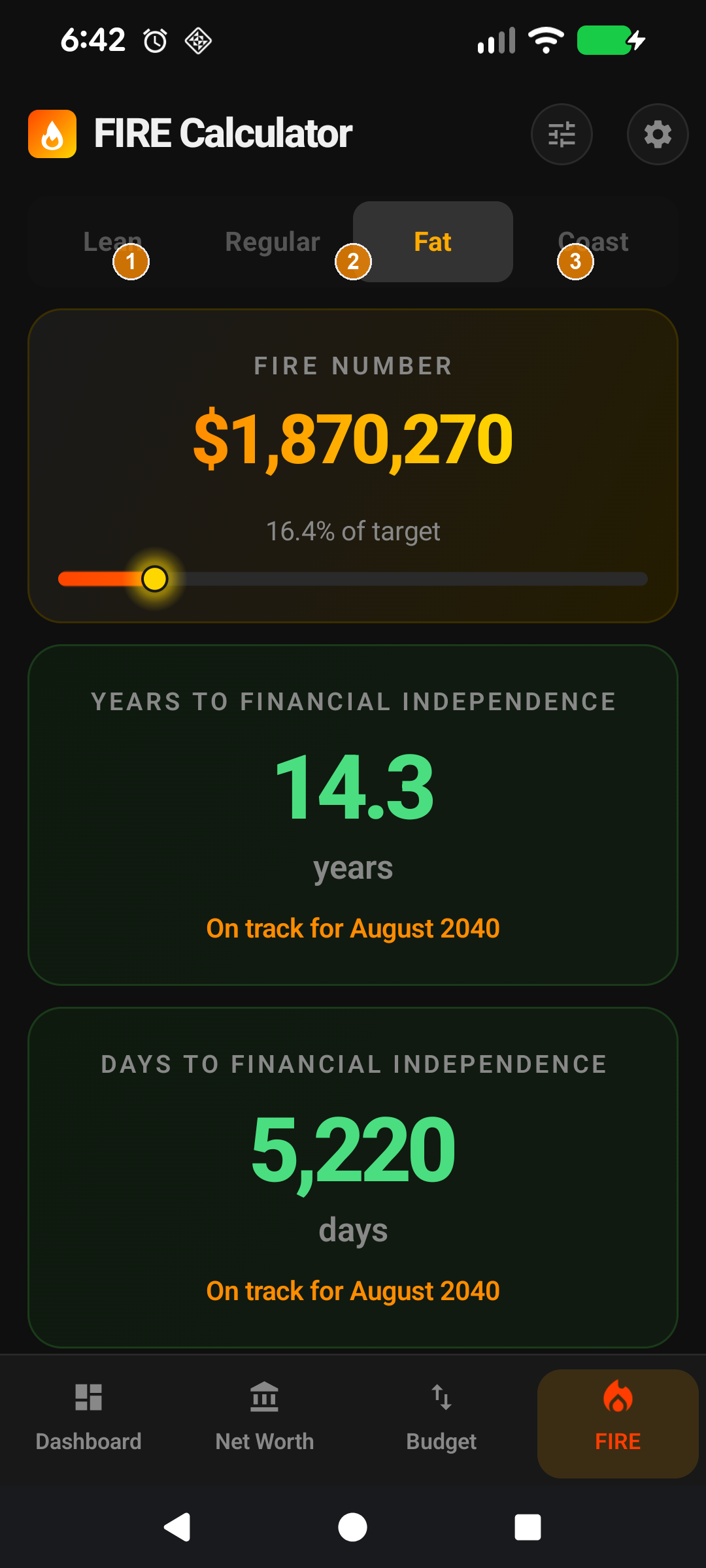
① Lean ~50% of Regular. ② Coast well below both. ③ Fat = Regular × 1.5 or 2.
Most users start with Regular as the primary target (Default FIRE Type = Regular) and treat Coast as the reassuring "you can take your foot off the gas" threshold. Lean is the safety floor — a concrete number you could always fall back to.
Fat is for users with specific goals (early retirement at 40, travel-heavy retirement, legacy planning) where the extra margin is worth the extra working years to accumulate.
The real power of tracking all four simultaneously: you see your progress against each, which shifts how you feel about your savings rate. "I'm behind on Regular FIRE" feels different when paired with "but I hit Coast FIRE 18 months ago".
Make it yours — Settings that affect this screen
Default FIRE Type — Settings → Display. Which variant opens by default.
Lean FIRE Included Expenses — Include-in-Lean-FIRE toggle on each expense on the Add/Edit Expense screen. Shapes which expenses count toward the Lean target.
FIRE Assumptions — Settings → FIRE. Real return, inflation, tax, safe-withdrawal rate, Fat multiplier, Coast retirement age.
FIRE Cards — Settings → App Lists → FIRE Cards. Hide variants you don't care about to keep the screen focused.
Schnellstart
FIRE ist nicht eine einzige Sache. Es gibt vier Geschmacksrichtungen, und FirePath verfolgt alle gleichzeitig. Wählen Sie diejenige, die zu Ihrem Ziel passt, oder verfolgen Sie alle vier als Bezugspunkte auf derselben Reise.
Lean FIRE — Ruhestand mit nur den wesentlichen Ausgaben. Die günstigste Version von Freiheit.
Regular FIRE — Ruhestand auf Ihrem aktuellen Ausgabenniveau. Das Standardziel für die meisten Menschen.
Fat FIRE — Ruhestand mit Spielraum. Ihre aktuellen Ausgaben × 1,5 oder 2.
Coast FIRE — genug gespart, um aufhören zu können zu sparen und trotzdem bis zum Rentenalter beim vollen FIRE-Ziel zu landen. Der psychologisch nützlichste Meilenstein.
Jede Variante hat ihren eigenen Tab auf dem FIRE-Bildschirm. Wählen Sie eine als Ihr Hauptziel unter Einstellungen → Anzeige → Standard-FIRE-Typ.
Der Rest dieser Anleitung ist für Nutzer, die den Bildschirm anpassen möchten. Wenn Sie mit den Standardeinstellungen zufrieden sind, können Sie hier aufhören — alles unten ist optionale Anpassung.
Tiefer eintauchen
Die 25×-Regel
Jede FIRE-Variante leitet sich vom selben mathematischen Anker ab: der 4-%-sicheren Entnahmerate aus der Trinity-Studie. Kehren Sie 4 % um, und Sie erhalten 25×: Sie brauchen ein Portfolio von ungefähr dem 25-Fachen Ihrer jährlichen Ausgaben, um allein von Entnahmen zu leben, mit sehr hoher Wahrscheinlichkeit, dass das Geld Sie über die meisten historischen 30-Jahres-Zeiträume überdauert.
FirePath verwendet 4 % als Standard-Entnahmerate (sodass 25× der Standard-Multiplikator ist). Sie können in den Einstellungen auf 3,5 % oder 3 % anpassen, wenn Sie ein konservativeres Ziel wollen — jede Anpassung erhöht den Multiplikator (3,5 % = ~28×, 3 % = ~33×).
Lean FIRE im Detail
① Umschalter ist für jede Ausgabe standardmäßig an. ② Diskretionäre Kategorien ausschalten, um Lean zu formen.
Lean FIRE ist die Version, bei der Sie Ausgaben bis auf das Nötigste reduzieren und nur mit dem Wesentlichen in Rente gehen: Miete oder Hypothek, Essen, Nebenkosten, grundlegender Transport, Versicherung. Die Idee ist: Wenn Sie morgen müssten in Rente gehen — wegen Gesundheit, Pflege der Familie, Burnout —, könnten Sie es bei reduziertem, aber nachhaltigem Lebensstil.
FirePath berechnet Lean FIRE, indem nur die Ausgaben summiert werden, die Sie mit In Lean FIRE einbeziehen markiert haben. Jede Ausgabe hat diesen Umschalter, standardmäßig an. Schalten Sie die aus, die Sie streichen würden: Essen gehen, Reisen, Hobby-Abonnements, der Spotify-Familienplan, das Fitnessstudio, das Sie durch Laufen ersetzen könnten. Was übrig bleibt, sind Ihre Lean-Ausgaben. Mal 25 = Ihre Lean-FIRE-Zahl.
Für die meisten Nutzer landet Lean FIRE bei 40-60 % von Regular FIRE. Lean FIRE zuerst zu erreichen ist ein enormer Risiko-Reduzierer — selbst wenn die Märkte einbrechen und Sie Regular nicht erreichen, haben Sie einen Boden.
Lean FIRE einrichten, Schritt für Schritt
① Lean-Zahl = eingeschlossene Ausgaben × 25. ② Fortschrittsbalken gegen aktuelles Portfolio.
Lean FIRE ist eine Premium-Funktion, der erste Schritt ist also Premium zu haben. Danach ist es eine Fünf-Minuten-Einrichtung — die schwierige Arbeit ist das ehrliche Nachdenken darüber, welche Ausgaben Sie tatsächlich streichen würden.
Stellen Sie sicher, dass jede Ausgabe erfasst ist. Gehen Sie zum Bildschirm Einnahmen & Ausgaben und überprüfen Sie den Ausgaben-Tab. Lean FIRE ist nur so genau wie die Ausgabenliste, aus der es liest. Fehlende Kategorien ergeben ein irreführend niedriges Ziel. Fügen Sie jede wiederkehrende Ausgabe hinzu, die Sie übersehen haben (einen vergessenen Streaming-Dienst, vierteljährliche Versicherung, jährliche Kfz-Anmeldung).
Setzen Sie den Zeitraum jeder Ausgabe korrekt. Miete ist meist monatlich, Versicherung oft jährlich, Lebensmittel wöchentlich. FirePath normalisiert Zeiträume intern — wöchentlich × 52, zweiwöchentlich × 26, monatlich × 12, jährlich × 1 — die jährliche Lean-Summe stimmt also nur, wenn die Zeiträume stimmen.
Gehen Sie die Ausgabenliste durch und schalten Sie In Lean FIRE einbeziehen um. Öffnen Sie jede Ausgabe (tippen Sie auf die Zeile im Ausgaben-Tab), schauen Sie auf den Umschalter unten im Bearbeitungsformular. An = zählt zu Lean; Aus = ausgeschlossen. Das mentale Modell: "Wenn ich morgen mit knappem Budget in Rente gehen müsste, würde ich dafür noch zahlen?"
An lassen: Miete / Hypothekentilgung und Zinsen, Lebensmittel, Nebenkosten, grundlegender Transport, Krankenversicherung, essenzielle medizinische Kosten.
Ausschalten: Essen gehen, Reisen, Streaming-Dienste über einen hinaus, Hobby-Ausrüstung, nicht-essenzielle Abonnements, alles was Sie bequem streichen würden.
Ermessensentscheidungen: Autokosten, wenn öffentlicher Verkehr eine Option ist; das obere Ende eines variablen Lebensmittelbudgets; Premium-Versicherung, wenn eine Grundpolice reichen würde. Es gibt keine falsche Antwort — wählen Sie die Lean-Version von Ihnen.
Öffnen Sie den FIRE-Bildschirm und prüfen Sie den Lean-Tab. Die Lean-FIRE-Zahl spiegelt jetzt die Ausgaben wider, die Sie an gelassen haben, × 25 (oder was immer Ihre Einstellung für die sichere Entnahmerate impliziert). Vergleichen Sie mit Regular FIRE auf dem nächsten Tab — Lean sollte spürbar kleiner sein, typischerweise 40-60 % von Regular.
Plausibilitätsprüfung der Zahl. Fühlt sie sich richtig an? Zu niedrig bedeutet wahrscheinlich, dass Sie beim Ausschalten zu eifrig waren (Sie würden einige davon tatsächlich noch zahlen). Zu nah an Regular bedeutet, dass Sie zu viele diskretionäre Posten angelassen haben. Gehen Sie zurück zu Schritt 3 und justieren Sie — das ist iterativ.
(Optional) Machen Sie Lean zu Ihrer Standardansicht. Einstellungen → Anzeige → Standard-FIRE-Typ → Lean. Der FIRE-Bildschirm öffnet sich dann jedes Mal auf dem Lean-Tab. Nützlich, wenn Lean Ihr kurzfristiger Boden und Regular das längerfristige Ziel ist, auf das Sie später den Fokus verlagern.
Im Laufe der Zeit verfeinern. Ihr Lean-Setup ist nicht "einrichten und vergessen". Alle paar Monate — wenn Sie eine neue wiederkehrende Ausgabe hinzufügen oder sich Ihre Lebensumstände ändern —, besuchen Sie die Einbeziehen/Ausschließen-Umschalter erneut. Ein neues Baby könnte Kinderbetreuung von ausgeschlossen zu eingeschlossen verschieben; eine abbezahlte Hypothek entfernt einen großen Posten komplett.
Tipp für Paare / Haushalte. Wenn Sie Finanzen teilen, gehen Sie diese Liste gemeinsam durch. Das Gespräch ist wertvoller als die Zahl — "würden wir Netflix noch nutzen, wenn wir beide in Rente wären?" bringt echte Prioritäten ans Licht. FirePath interessiert es nicht, wer welches Kästchen angekreuzt hat; es summiert einfach, was übrig bleibt.
Regular FIRE im Detail
Ihre jährlichen Gesamtausgaben × 25. Nicht Ihr Gehalt, nicht Ihre Sparquote — nur Ihre tatsächlichen Ausgaben. Dies ist das "mit meinem aktuellen Lebensstil in Rente gehen"-Ziel und das, was die meisten FIRE-Verfolger standardmäßig im Sinn haben.
Zwei Feinheiten. Erstens: Ausgaben schwanken. FirePath verwendet, was Sie derzeit auf dem Einnahmen-&-Ausgaben-Bildschirm eingetragen haben. Halten Sie diese Zahlen aktuell, und Ihre Regular-FIRE-Zahl verfolgt die Realität. Zweitens: Die Ausgaben nach dem Ruhestand sind meist niedriger als vor dem Ruhestand — kein Arbeitsweg, keine Arbeitskleidung, oft niedrigere Steuerklasse —, sodass das 25-Fache der aktuellen Ausgaben ein leicht konservatives Ziel ist.
Fat FIRE im Detail
Ihre Regular-FIRE-Zahl mal einem Multiplikator — standardmäßig 1,5-fach, in den Einstellungen konfigurierbar. Die Idee ist ein bewusster Sicherheitsspielraum: nicht nur auf den aktuellen Ausgaben in Rente gehen, sondern mit Raum zum Reisen, für Upgrades, Großzügigkeit, um einen Markteinbruch ohne Gürtelenger zu überstehen.
Fat ist für Menschen, die es nicht knapp halten wollen. Wenn das Erreichen von Regular FIRE bedeutet, dass Sie am selben Tag aufhören würden zu arbeiten, gibt Fat Ihnen 18+ Monate Puffer-Jahre in der Zahl einkalkuliert. Verwenden Sie 1,5× für moderate Sicherheit; 2× wenn Sie wirklich im Luxus schwelgen wollen.
Coast FIRE — das Unterschätzte
Coast FIRE ist der Punkt, an dem Ihr bestehendes investiertes Portfolio, in Ruhe gelassen (keine neuen Einzahlungen), durch Zinseszins bis zu Ihrem gewählten Rentenalter auf ein volles FIRE-Ziel anwächst. Auch bekannt als der "Sie können aufhören zu sparen"-Meilenstein.
Die Mathematik: Coast = Regular FIRE / (1 + r)^n, wobei r Ihre Realrendite und n die Jahre bis zu Ihrem Rentenalter ist. Beispiel: 1,5 Mio. $ Regular FIRE, 25 Jahre bis Alter 60, 5 % Realrendite → Coast = 1,5 Mio. $ / (1,05^25) ≈ 443.000 $.
Warum es wichtig ist: Die meisten, die FIRE in ihren 30ern entdecken, erreichen Coast FIRE weit vor dem traditionellen Ruhestand, oft mit 35-45. Sobald Sie Coast erreicht haben, haben Sie Optionen: auf Teilzeit reduzieren, in etwas Sinnvolles aber schlechter bezahltes wechseln, ein Sabbatical nehmen oder weiter pushen, um Regular FIRE früher zu erreichen. Das Portfolio bringt Sie so oder so mit 60 zu vollem FIRE.
Einstellungen → FIRE lässt Sie das Coast-Rentenalter festlegen (Standard 60). Höher einstellen (65-67) ergibt eine niedrigere Coast-Zahl (mehr Zeit zum Kumulieren); niedriger einstellen (55) ergibt eine höhere.
Warum die Zahlen in heutigen Dollar sind
FirePaths Prognosen verwenden reale Renditen — erwartete Rendite minus Inflation —, sodass jede Zahl auf dem FIRE-Bildschirm in heutigen Dollar ausgedrückt ist. Ein FIRE-Ziel von 1,5 Mio. $ bedeutet, dass Sie genug brauchen, um einen Lebensstil zu finanzieren, der genauso viel kostet wie 1,5 Mio. $ heute, nicht eine Million nominaler Dollar in 20 Jahren. Das vermeidet die verwirrende Übung, zukünftige Dollar mit aktuellen Ausgaben zu vergleichen.
Die Standardannahmen — 7 % erwartete Rendite, 3 % Inflation — ergeben eine 4-%-Realrendite, eine vernünftige Langzeitschätzung für ein 70/30-Aktien/Anleihen-Portfolio. Passen Sie beide unter Einstellungen → FIRE-Rechner an, wenn Sie eine andere Asset-Mischung oder eine (mehr oder weniger) optimistische Aussicht modellieren wollen.
Welche Variante sollten Sie anstreben?
① Lean ~50 % von Regular. ② Coast deutlich unter beiden. ③ Fat = Regular × 1,5 oder 2.
Die meisten Nutzer beginnen mit Regular als primärem Ziel (Standard-FIRE-Typ = Regular) und behandeln Coast als die beruhigende "Sie können den Fuß vom Gas nehmen"-Schwelle. Lean ist der Sicherheitsboden — eine konkrete Zahl, auf die Sie immer zurückfallen könnten.
Fat ist für Nutzer mit spezifischen Zielen (früher Ruhestand mit 40, reiseintensiver Ruhestand, Nachlassplanung), bei denen der zusätzliche Spielraum die zusätzlichen Arbeitsjahre zum Ansparen wert ist.
Die eigentliche Stärke, alle vier gleichzeitig zu verfolgen: Sie sehen Ihren Fortschritt gegen jede, was ändert, wie Sie sich zu Ihrer Sparquote fühlen. "Ich bin mit Regular FIRE im Rückstand" fühlt sich anders an, wenn es mit "aber Coast FIRE habe ich vor 18 Monaten erreicht" gepaart ist.
Machen Sie es zu Ihrem — Einstellungen, die diesen Bildschirm beeinflussen
Standard-FIRE-Typ — Einstellungen → Anzeige. Welche Variante standardmäßig geöffnet wird.
Lean-FIRE-eingeschlossene-Ausgaben — Umschalter "In Lean FIRE einbeziehen" bei jeder Ausgabe auf dem Bildschirm Ausgabe hinzufügen/bearbeiten. Formt, welche Ausgaben zum Lean-Ziel zählen.