Settings
Every setting, group by group, and the search that finds them.
Quick start
Tap the gear in the wallet. Settings are in groups, and Search settings at the bottom finds any of them by name. Rows with a padlock come with Premium.
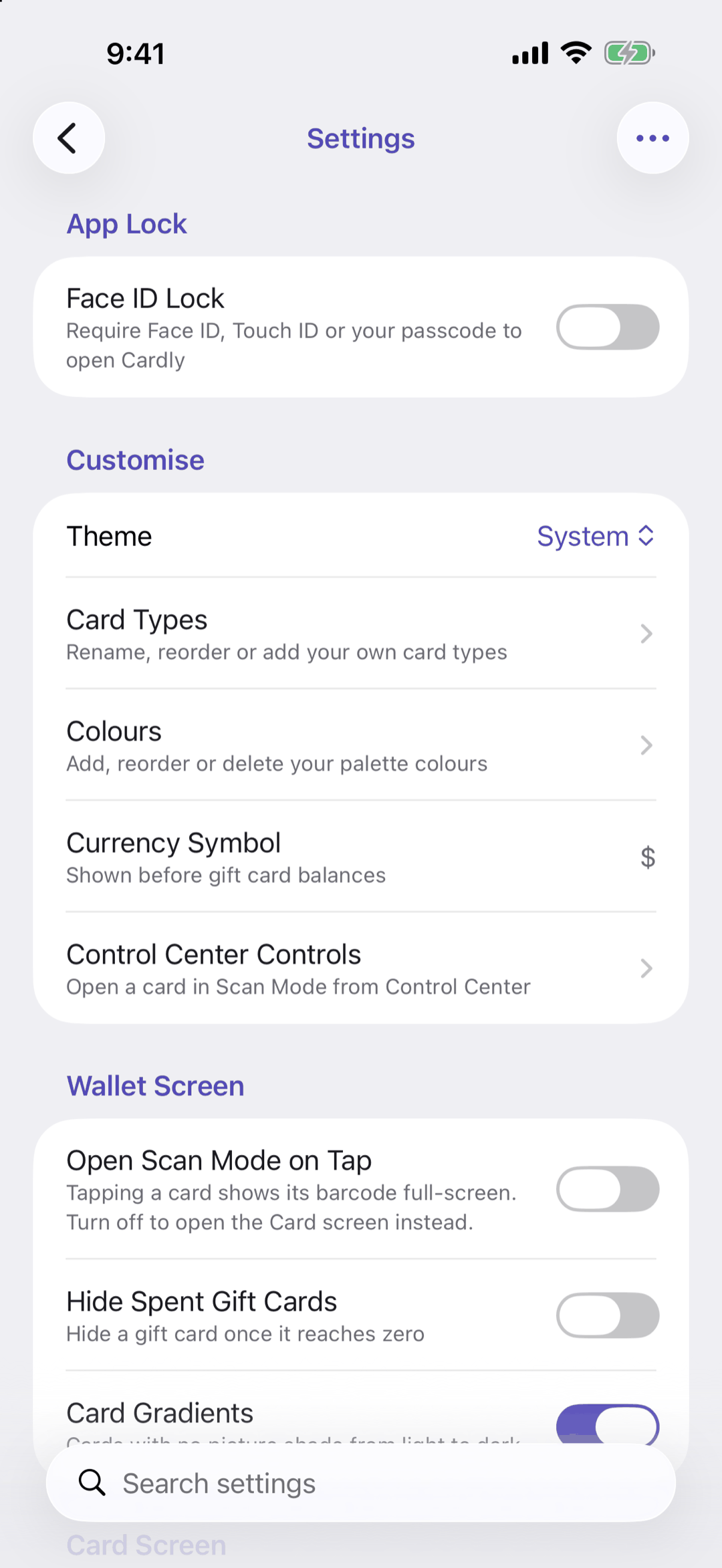
Below: what is in each group.
Going deeper
- App Lock: Face ID Lock (Premium)
- Customise: Theme (System, Light or Dark), Card Types, Colours, Currency Symbol (the symbol and whether it goes before or after balances) and Control Center Controls
- Wallet Screen: Open Scan Mode on Tap, Hide Spent Gift Cards and Card Gradients
- Card Screen: Card Screen Opens on Barcode, Show Pictures on Rewards Cards and Show Pictures on Gift Cards
- Expiry Reminders (Premium)
- Your Data: Sync with iCloud, its Status, and Import and Export (Premium)
- Premium
- System: Help & Support and About, which has the version, What's new, the privacy policy and terms, and Delete All Data
With Premium, the … menu at the top reorders the groups.
Questions or feedback? Email us at woohoosoftware@gmail.com